
"Unseen" | Stealth game | GD1_Fall2025
Dec 3 | Devlog | Release...
- Devlog Introduction
After a long journey of designing, building, and polishing this game entirely on my own, it’s finally ready for its first full release. Let’s get on with it!
---------------------------------------------------------------------------
- Unseen ( Gameplay Footage )
---------------------------------------------------------------------------
- Lighting Design
For this level, I focused on creating an eerie, cinematic atmosphere that feels tense but still guides the player naturally. Most of the environment is illuminated with dim, aging yellow lights to reinforce the idea that the building is deteriorating. These softer yellow tones set the baseline mood while also making the main hallways readable and easy to navigate.
To build tension and direct attention, I introduced blinking red lights near the exit areas. These stand out dramatically against the yellow ambience and immediately signal urgency, discovery, and a clear destination for the player. Inside the boss’s room, I used a slightly brighter yellow light aimed toward the reception desk so the key becomes one of the first things the player notices upon entering.
Since the level takes place at night, I added blue moonlight pouring through the windows to create a sense of mystery and curiosity. It subtly highlights an alternate path, rewarding players who step away from the main hall. If they catch the moonlight, they’re naturally drawn toward it, and it just happens to reveal a safer route that lets them avoid the guards.
Overall, the lighting design balances mood and gameplay: the main paths are bright and readable, while the darker areas feel intriguing rather than punishing, inviting exploration instead of discouraging it.
- Lighting Implementation
All lighting in the level uses Lumen, which gave me flexibility while still keeping the environment performant. I carefully adjusted attenuation radius and intensity values so lights were bright enough to guide the player but not so bright that they caused haze or exaggerated glow inside the volumetric fog.
A lot of the scene’s readability comes from deliberate post-processing work. Since the level is set at night, I lowered the global exposure and adjusted the ambient light to a darker blue. I also enabled volumetric height fog, giving the space that subtle, low-lying haze—almost Silent Hill-esque. This makes beams of moonlight and interior lighting feel dramatic and atmospheric. Vignette effects help frame the player’s view (and later tie into the dodge UI feedback).
During refinement, I realized the lighting outside was initially too asymmetrical and dark, making it hard for players to see the approach to the building. I adjusted the direction and intensity of the moonlight so it feels more like early nightfall, which makes the exterior readable while still keeping the mood intact.
- Boss's Room ( Lighting )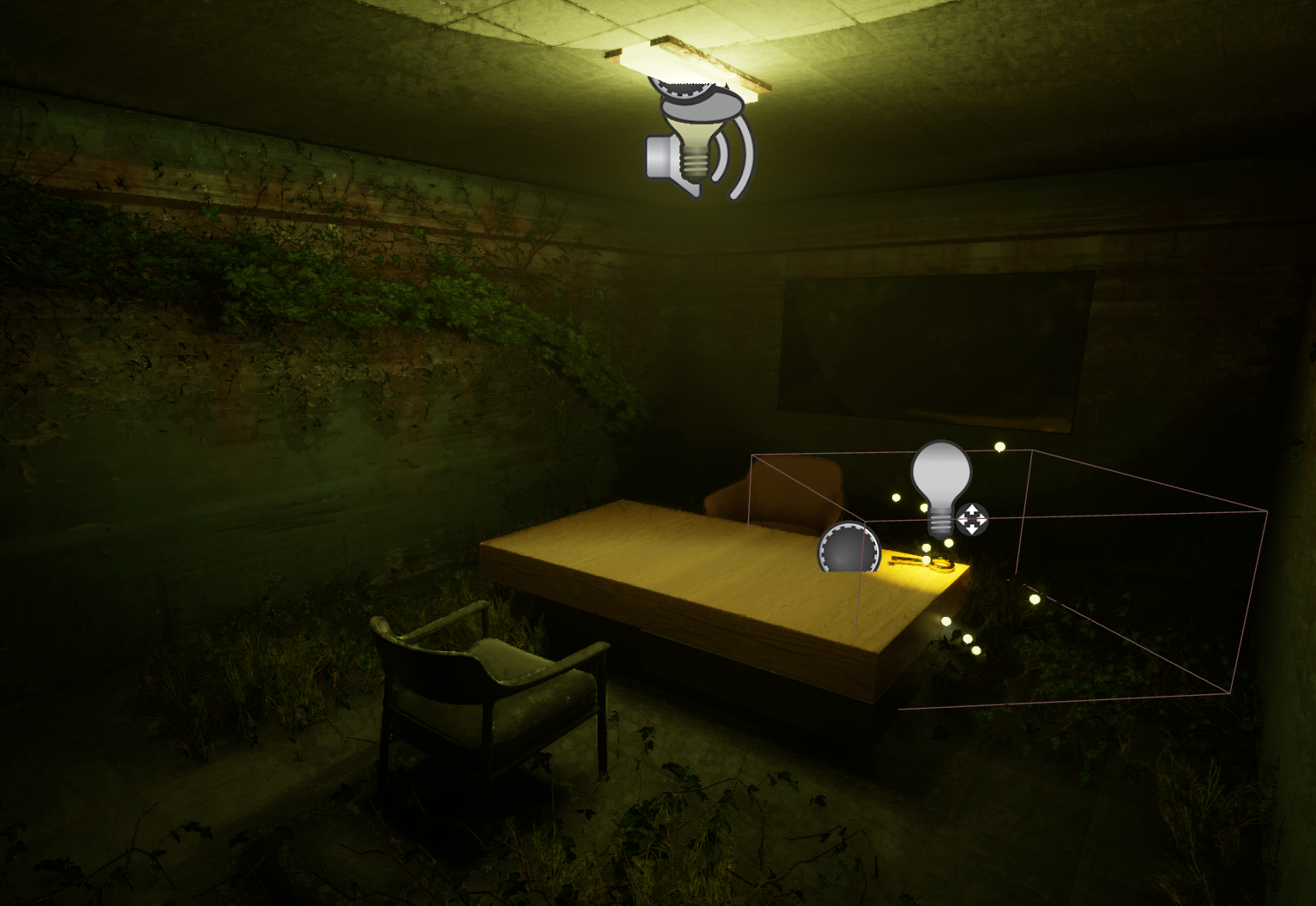
- Moonlit Passageway ( Lighting )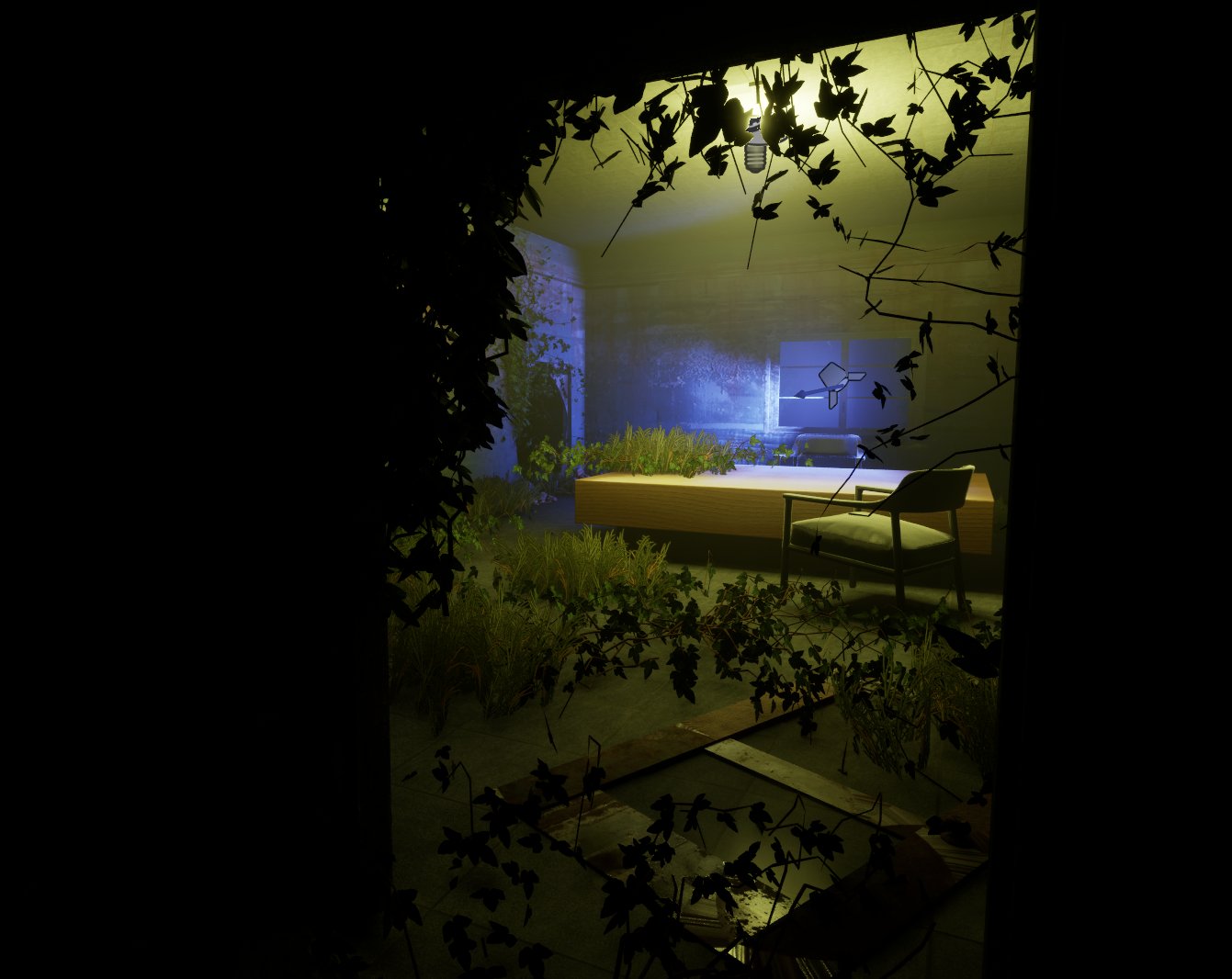
- Alarming Location ( Lighting )
---------------------------------------------------------------------------
- Material Design
For the material direction of the level, I aimed for an abandoned and realistic look that reinforced the idea of a space that has been neglected for a long time. The materials I selected (Especially the worn wall textures and rusted surfaces) help sell the idea that the building is slowly decaying. Furniture covered in vines and ivy adds to that overgrown, overtaken feel, making the environment seem like nature has started reclaiming parts of the structure.
Imperfections were a major part of the style. The ivy doesn’t sit perfectly; it hangs unevenly and creates odd patterns that help break up flat surfaces. Some furniture is knocked over or pushed into pathways to intentionally block certain rooms, contributing to both the environmental storytelling and the gameplay flow. All of these choices work together to create a world that feels structurally weak, unmaintained, and subtly unsettling.
- Material Implementation
Most of the materials in the level came directly from FAB, and I didn’t need to outsource anything beyond that. For the floors, I created a material instance so I could adjust tiling and make the ground pattern feel more natural and properly scaled. Small adjustments like that helped the space look more cohesive and believable.
Overall, the materials work well together to convey a dilapidated, abandoned atmosphere. The environment reads clearly as run-down and neglected. The only thing I want to revisit later is some of the furniture. Certain chairs and tables look a little too new compared to the rest of the environment. It’s a minor issue, but smoothing that out in the future will help maintain immersion.
- Floor Tiling ( Material )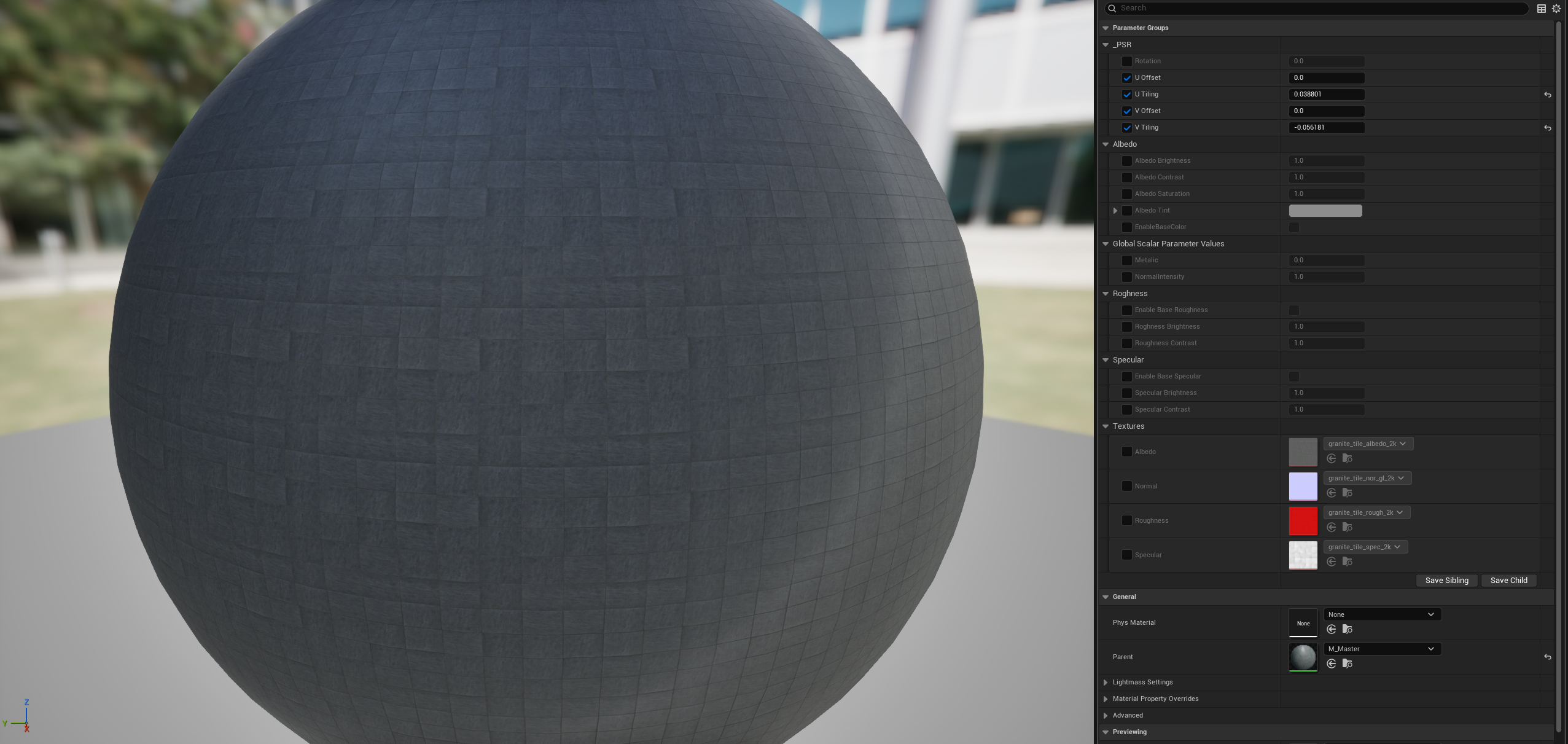
- Dilapidated Walls ( Fab Assets + Materials )
- Kitbashed Junk Assets ( Fab )
- Knocked Over Furniture ( Design )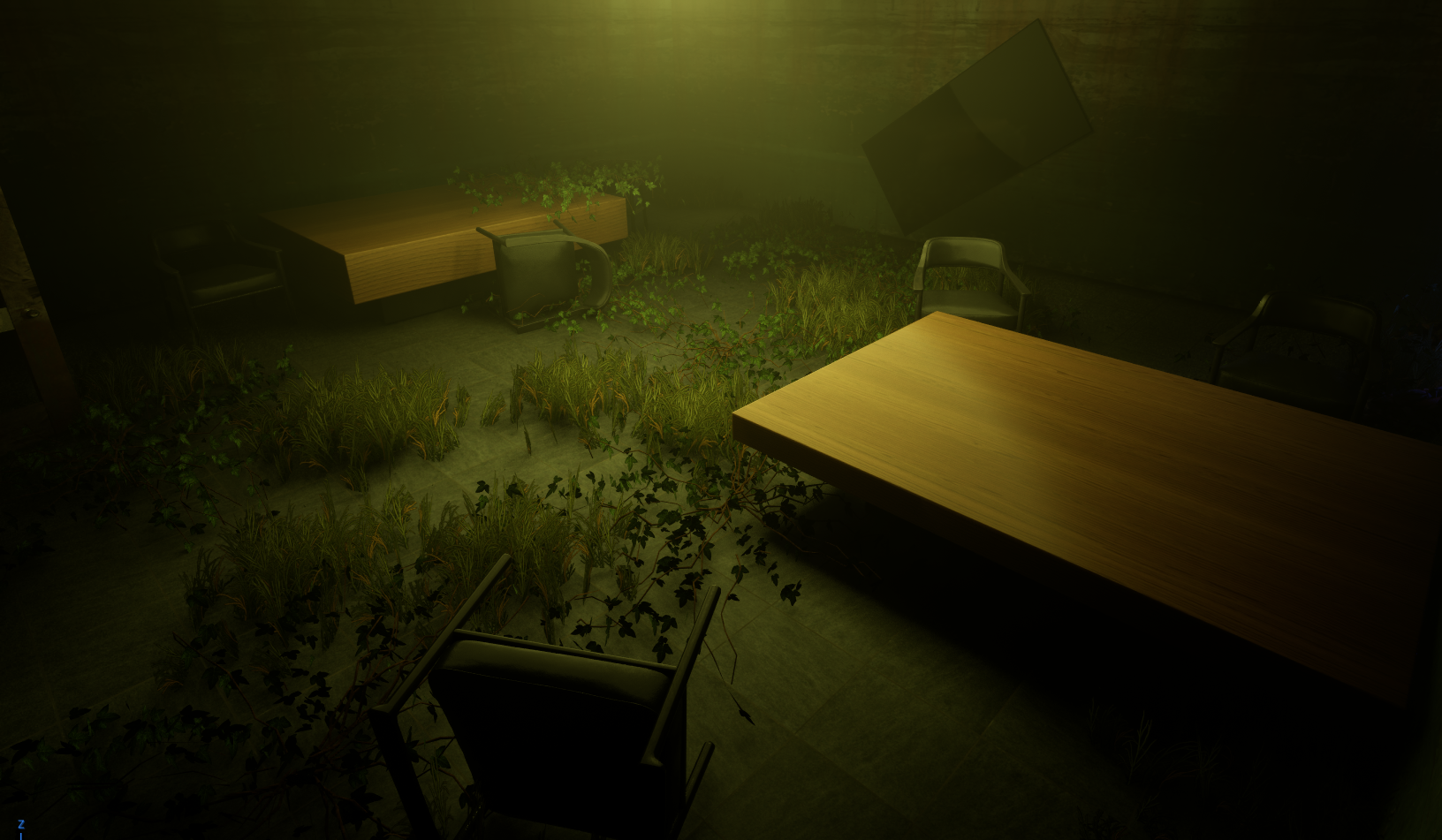
---------------------------------------------------------------------------
- Audio Design
For the audio direction, I focused on building suspense and environmental immersion while also making sure sound played a clear gameplay role. The ambience and music work together to keep the player tense and aware, while interaction sounds provide immediate feedback for any action they complete. The goal was to create a soundscape that feels alive and reactive.
I placed special emphasis on the sounds the player would hear most often, such as the rain. By dynamically shifting between outside and inside spaces. The background music reinforces the suspenseful tone of the level, while key gameplay elements like picking up the key, pulling a lever, or hearing a door scrape open help communicate progress and environmental responses.
Some audio moments play a strong role in storytelling and gameplay. When a guard is alerted, the game uses a Metal Gear Solid–style alert sound that instantly communicates danger. Throwing a rock triggers a distinct noise that distracts guards, teaching players through audio how the stealth systems work. And throughout the level, the rain remains a constant presence - loud and defined outdoors, muffled but still noticeable indoors to help reinforce spatial awareness.
- Audio Implementation / Manipulation
Most audio interactions are driven through blueprints. For the rain, I set it to loop every two minutes, with its volume automatically shifting based on the player's location. When the player exits the building (not inside the trigger box), the rain variable is set to high. When they’re indoors, the trigger box lowers the rain variable, creating that muffled interior effect.
Object-based audio follows a similar logic. The rock’s impact sound triggers when it hits the ground, and the guard alert noise fires as soon as the player enters a guard’s line of sight. (These systems were originally detailed in my Midterm Devlog, which can be used as a reference.) Other sounds like interaction dings, doors opening, or progress confirmation cues are also handled through blueprint events tied to actions, triggers, or specific animations.
To balance the audio, I consistently playtested with my system volume set to 100%. This let me catch sounds that were too harsh, too soft, or inconsistent and make adjustments before they could cause issues.
Overall, the audio feels immersive and responsive. The player always receives clear, immediate feedback about what they’ve done, what’s happening around them, and how the world reacts to their choices. It supports both the tension and the clarity of the gameplay experience.
- AI Alert ( Metal Gear Solid Que )
- Rock Sound Impact ( Raise Guard Suspicion)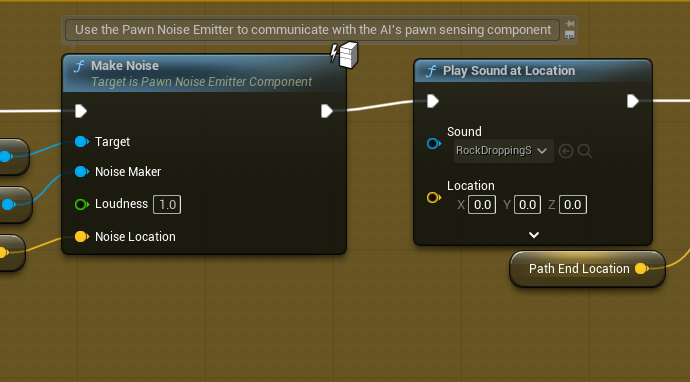
- Exit Door Open ( Sound Que )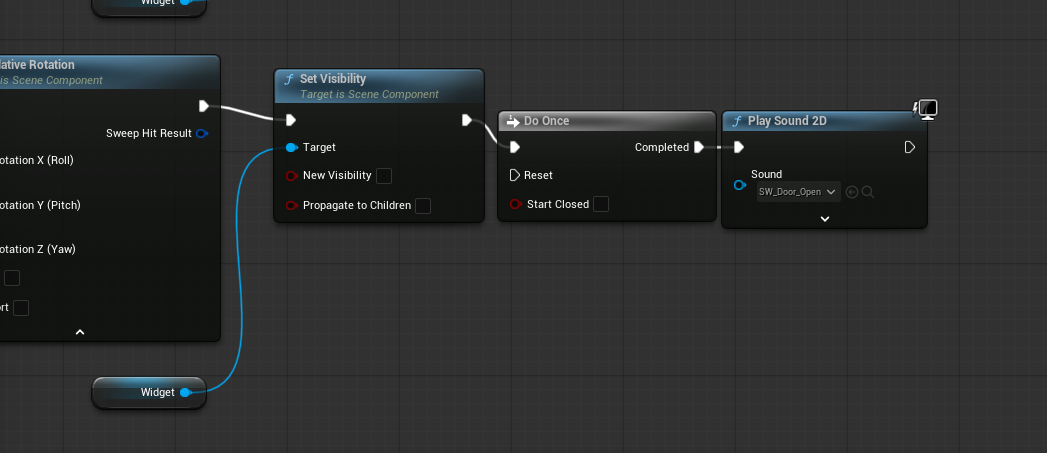
- Lever Interact Complete ( Sound Que )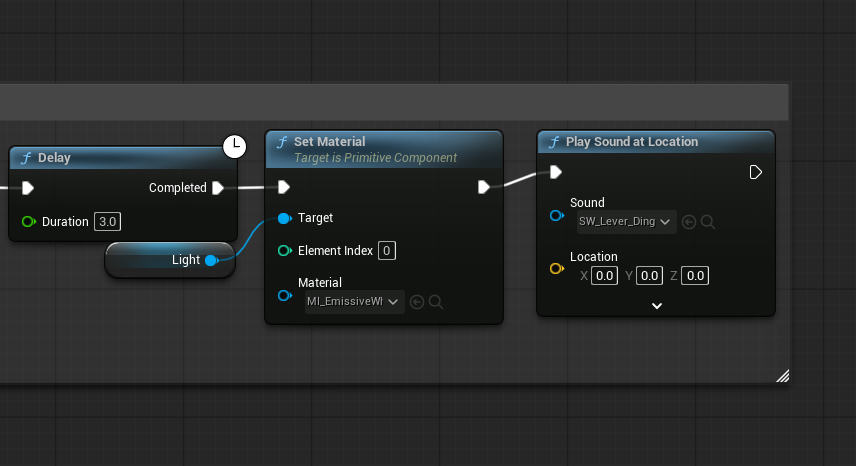
- Dynamic Rain Adjustment ( Environmental Immersion )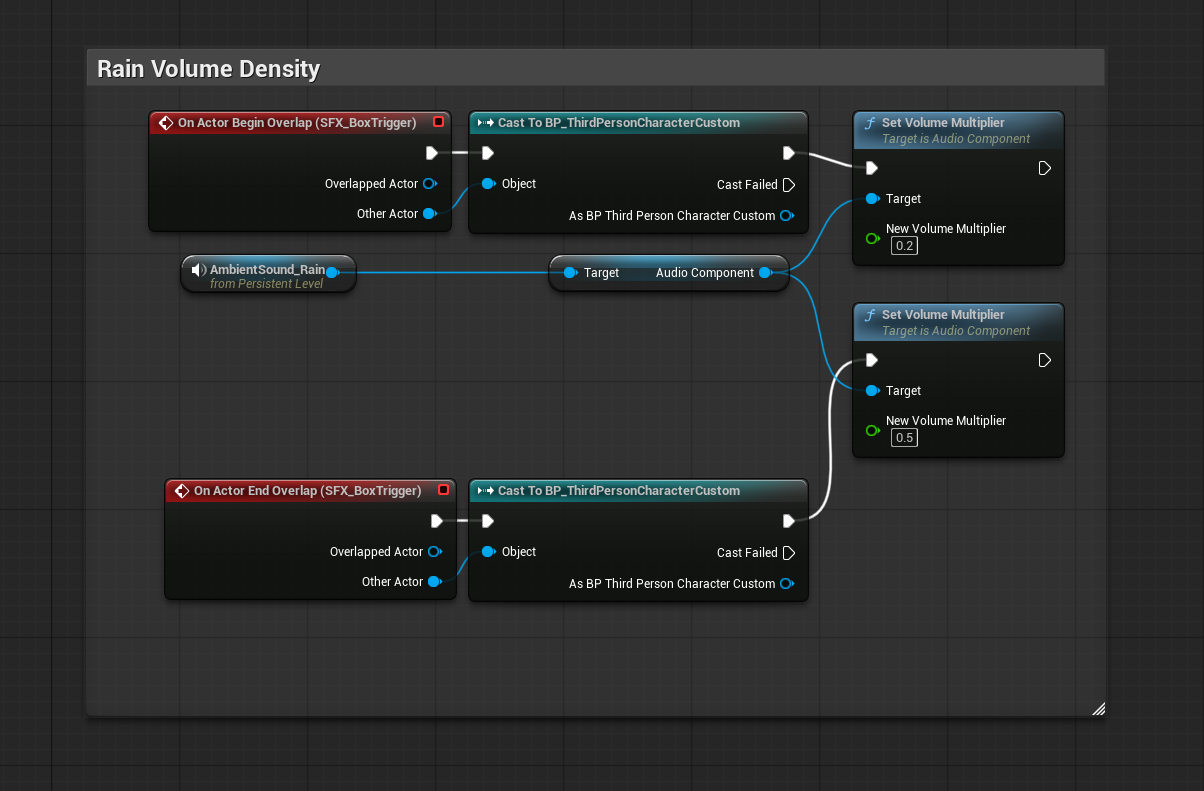
---------------------------------------------------------------------------
- VFX Design
The VFX in this level serve multiple purposes, such as : atmosphere, danger cues, interaction feedback, and environmental storytelling. All working together to support the stealth-focused gameplay. Rain adds a sense of mood and weather, danger cues alert the player when guards spot them, interaction effects reinforce key actions, and background ambience helps anchor the environment emotionally.
I created several core effects that define the visual identity of the level.
- The rain is a velocity-based Niagara system attached to the player’s head, so it follows them around naturally while using a “death on collision” setting to prevent raindrops from appearing inside the building.
- Blinking lights use a light-function material so their intensity can pulse dynamically, enhancing tension around important locations.
- Speed ribbons appear when the player hits a certain velocity, giving them streaking dash lines that emphasize fast movement and mastery of the traversal mechanics.
- Finally, small floating particles surround the key in the boss’s office, making it easy to identify from a distance as an important interactable object.
Overall, my goal with these effects was to improve visibility and guide the player’s attention. The flashing lights and key particles make important objects readable, the rain builds environmental immersion, and the speedlines provide a sense of progression and momentum as the player becomes more skilled.
- VFX Implementation
Many of the VFX run continuously, like the blinking lights and the rain system. More specialized effects, such as the speed ribbons, only activate when the player meets specific conditions, like reaching a certain movement velocity. The floating particles around the key remain active until the player picks it up, at which point they disappear to signal that the interaction has been completed.
The only major optimization needed was for the rain system. Instead of covering the entire level, I limited it to a 10×10 meter radius around the player, spawning around 200 drops at a time. This keeps performance stable while still giving the impression of full-scene rainfall.
In the end, the VFX feels clear, responsive, and helpful. They give immediate feedback for actions, highlight important objects, and reinforce the atmosphere without overwhelming the screen.
- Key Interaction Attention (Quest-Based )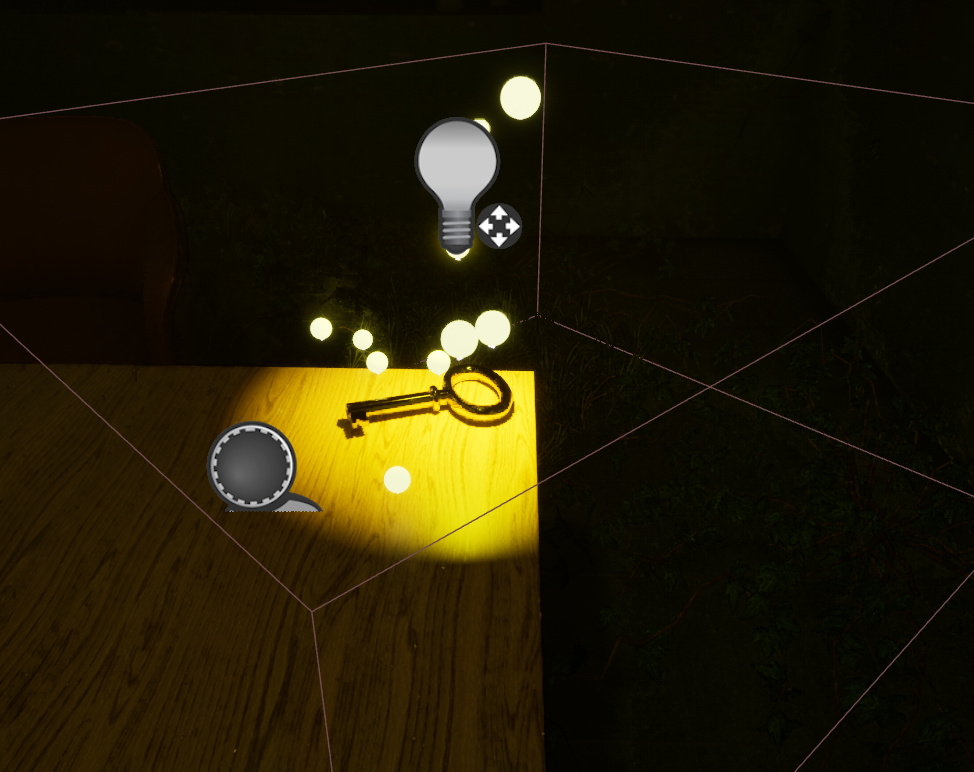
- Light Function Material ( Environmental Immersion )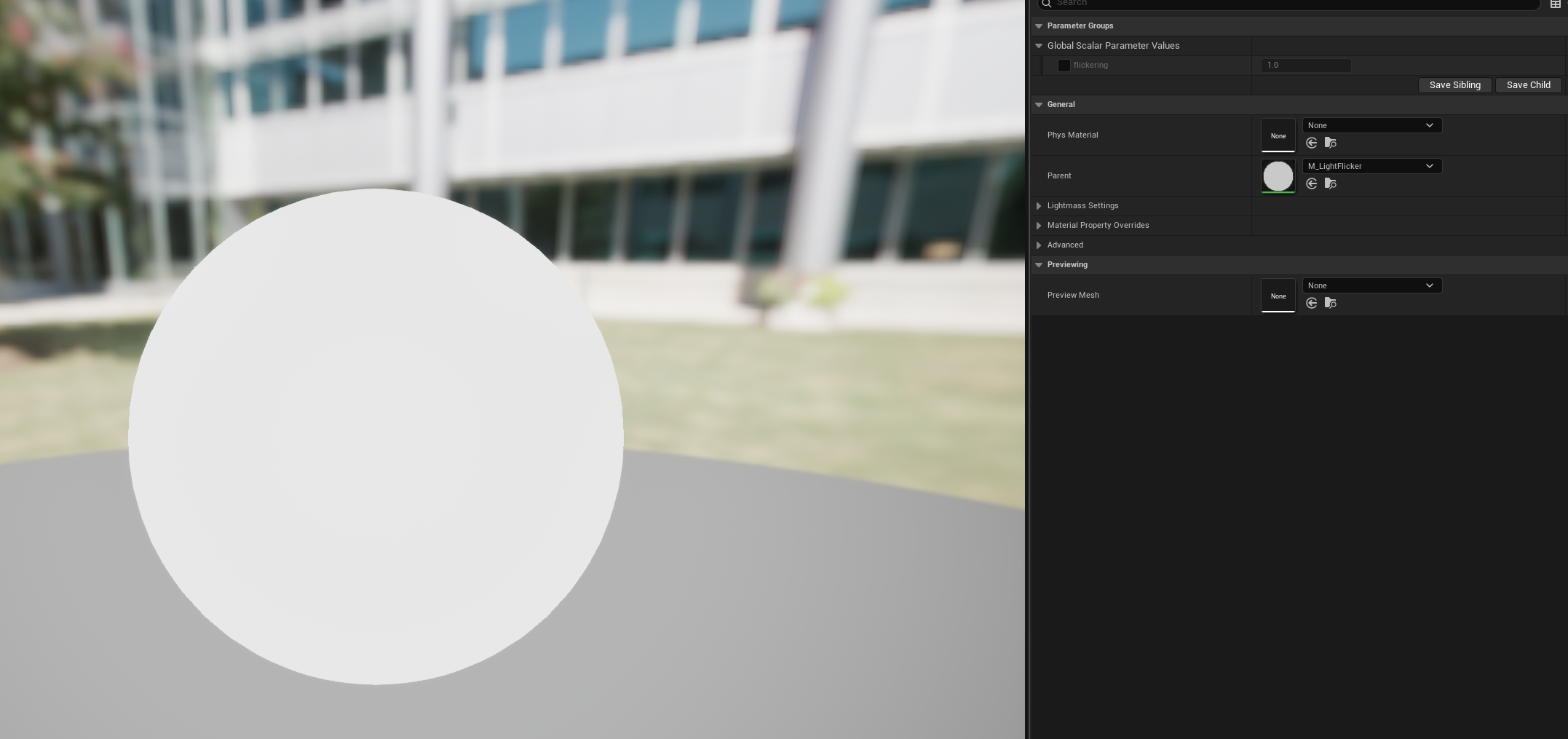
- Niagara Rain Particle ( Environmental Immersion )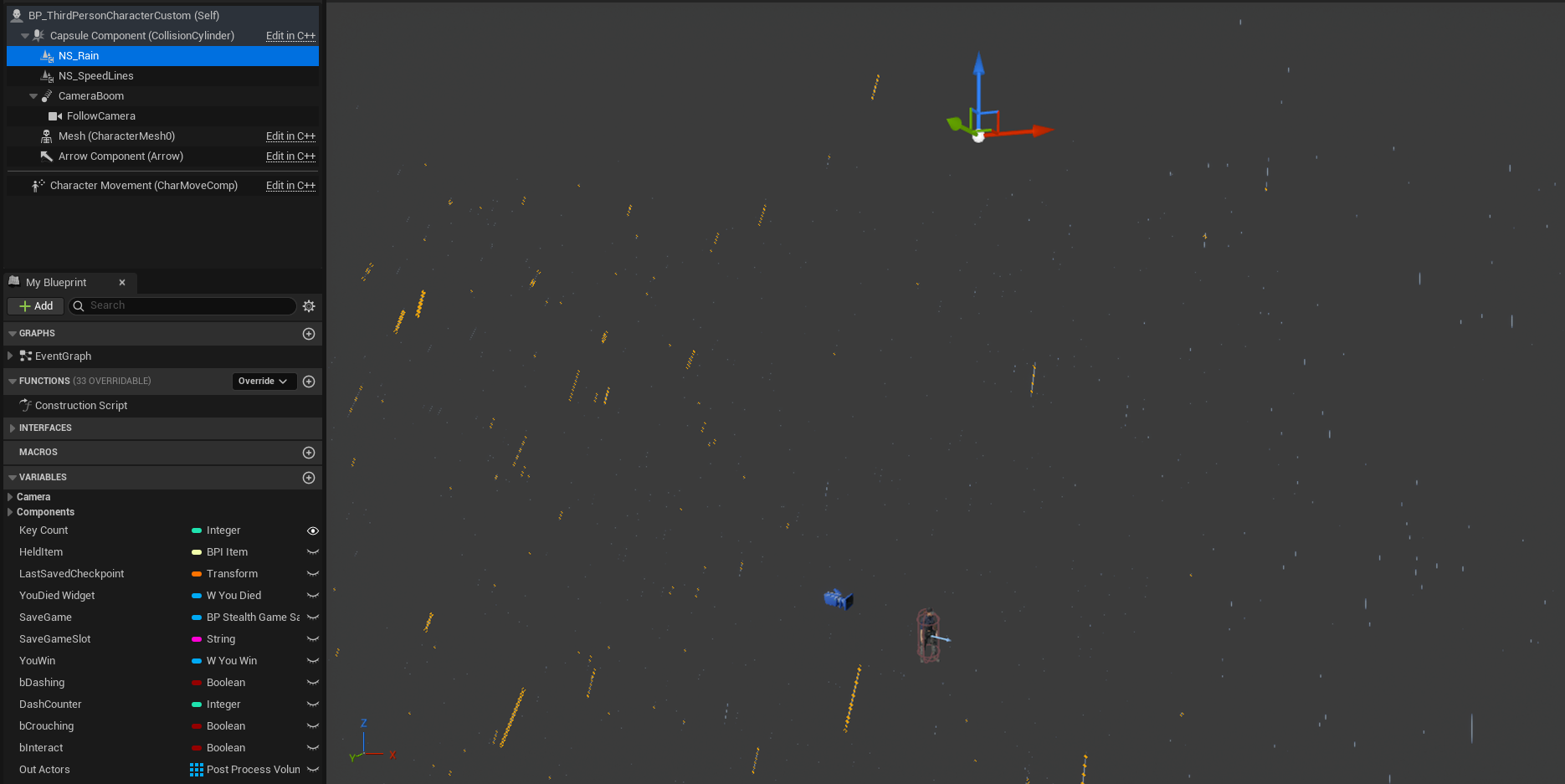
---------------------------------------------------------------------------
- Post-Processing Design
The post-processing in this level was focused on creating a cinematic and moody tone that enhances both atmosphere and gameplay clarity. Color grading was used to establish the cool, blue moonlit look outside, while exposure was carefully tuned to ensure the brightness of the level felt natural without washing out details. I also implemented a vignette effect that becomes noticeable when the player crouches, adding a subtle sense of stealth and immersion.
These effects serve multiple purposes: they make the environment feel more realistic, guide the player’s attention, and reinforce the overall tone of the level. By combining cinematic aesthetics with subtle gameplay cues, the post-processing supports both exploration and stealth mechanics without overwhelming the player.
- Post-Processing Implementation
In terms of implementation, I adjusted exposure levels, fog density, and shadow contrasts. For optimization, I disabled cast shadows on the vines and grass, which helped the game run more smoothly while maintaining visual quality. The main challenge was fine-tuning the exposure inside the building, ensuring interior areas were neither too dark nor overexposed compared to the exterior moonlight.
The final result is a cinematic and readable visual style that enhances immersion and subtly guides the player. Post-processing helps the environment feel alive and visually compelling while keeping the gameplay clear and intuitive.
- Inside Exposure ( Contrast ) 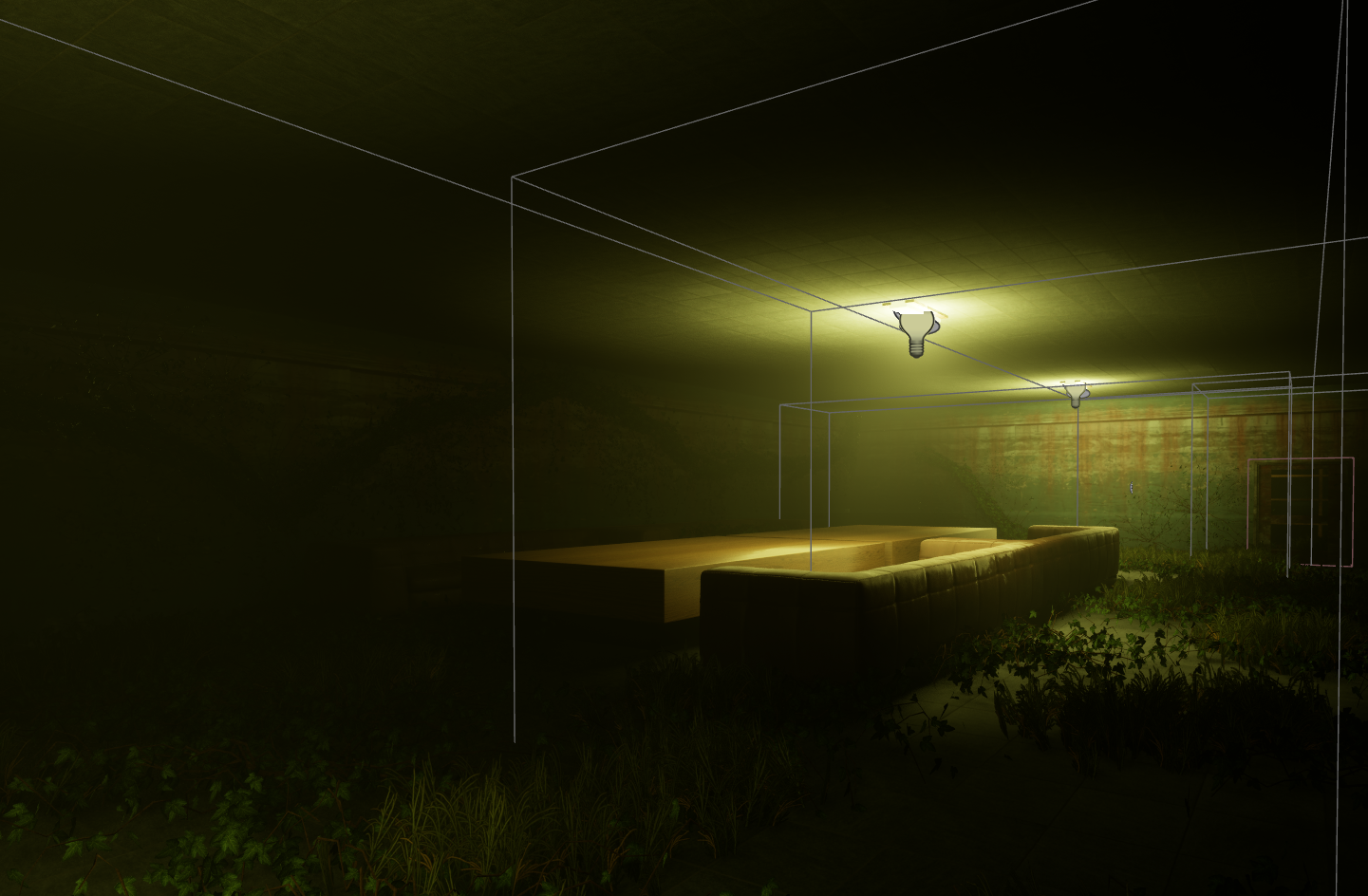
- Moon Lighting ( Volumetric Fog )
- Moonlight Intensity ( Lighting Immersion )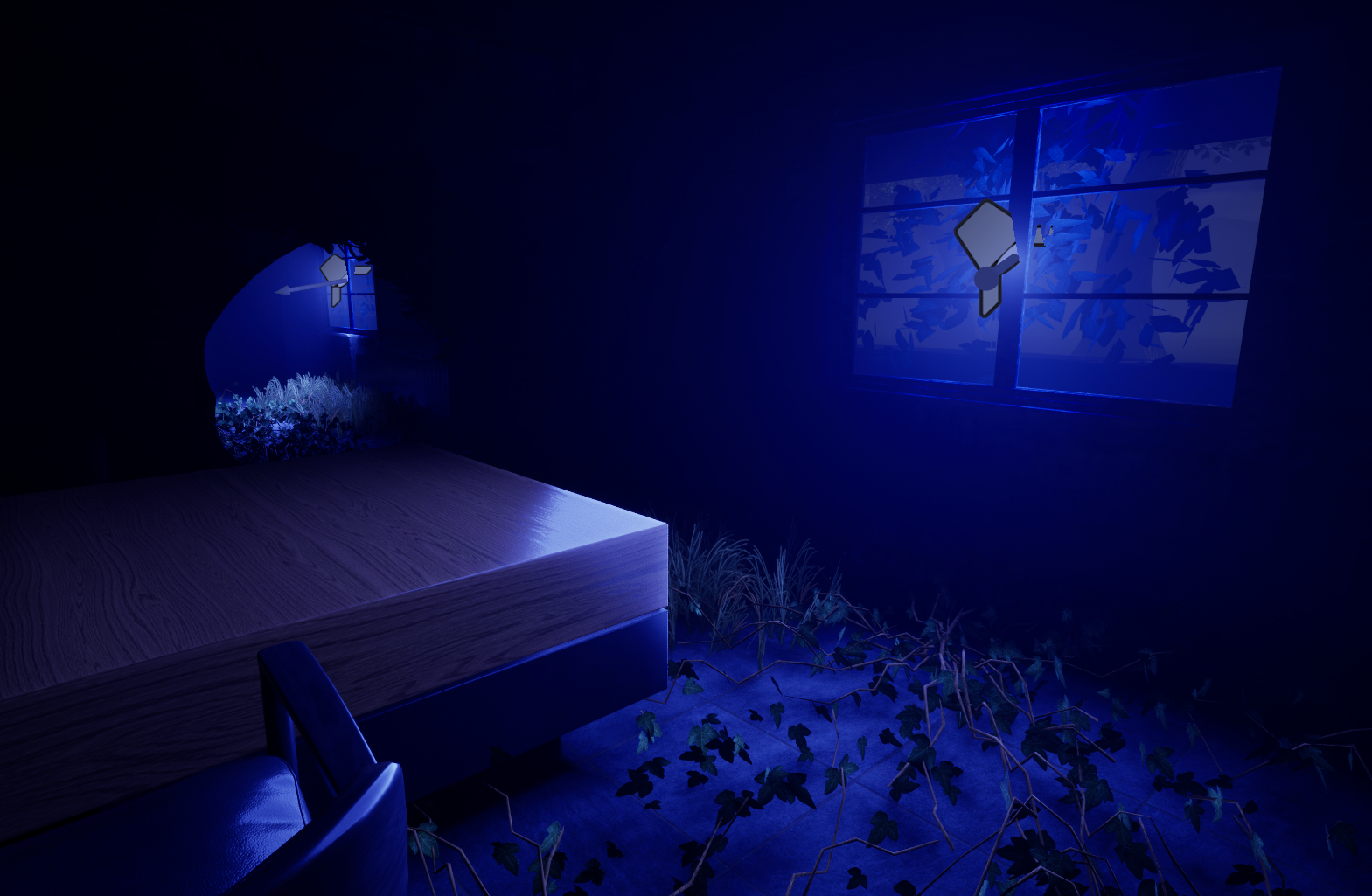
- Volumetric Fog ( Bonus, I super like this angle honestly)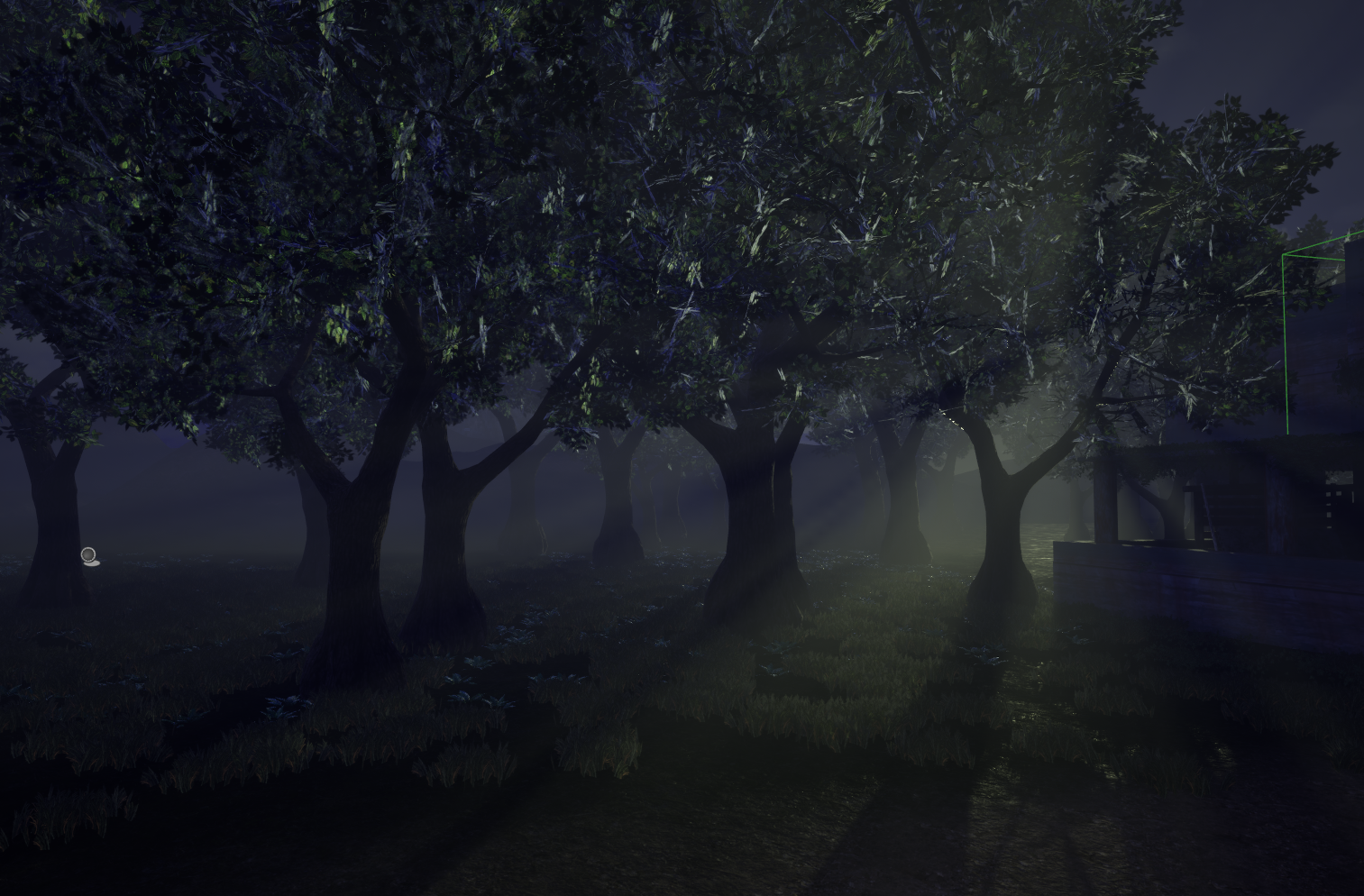
- Player Vignette ( Standing Up )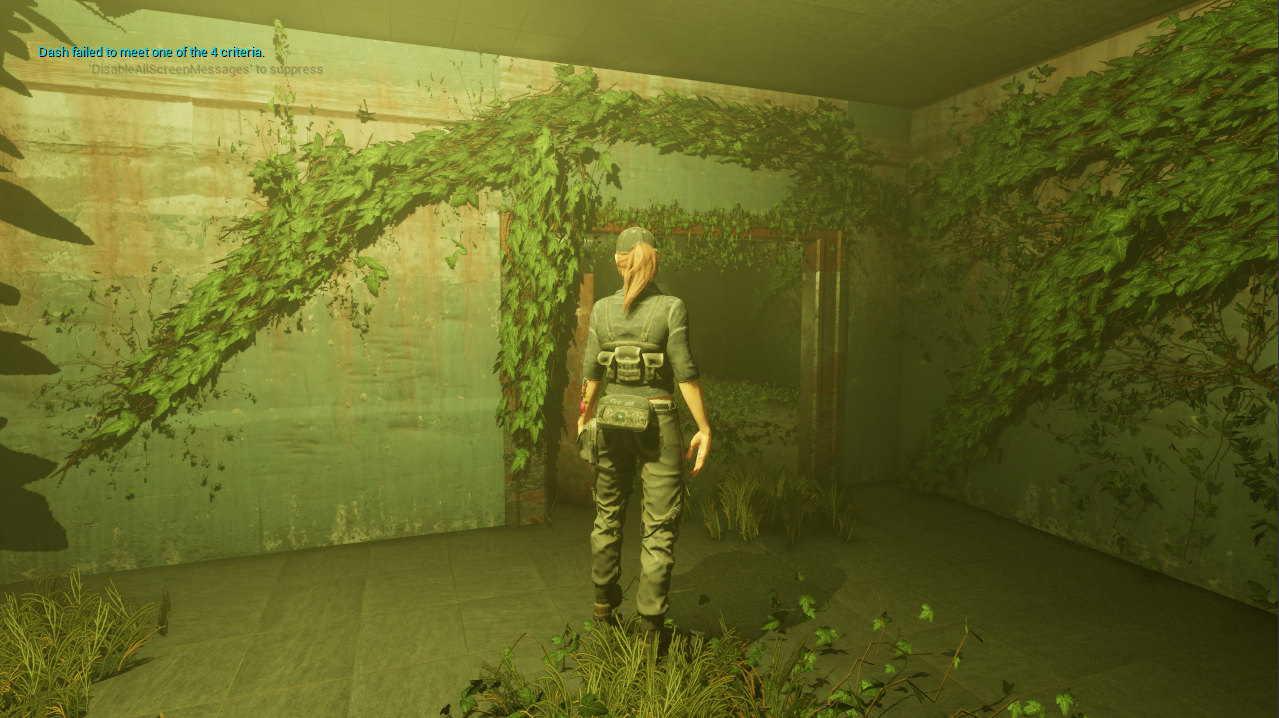
- Player Vignette ( Crouched )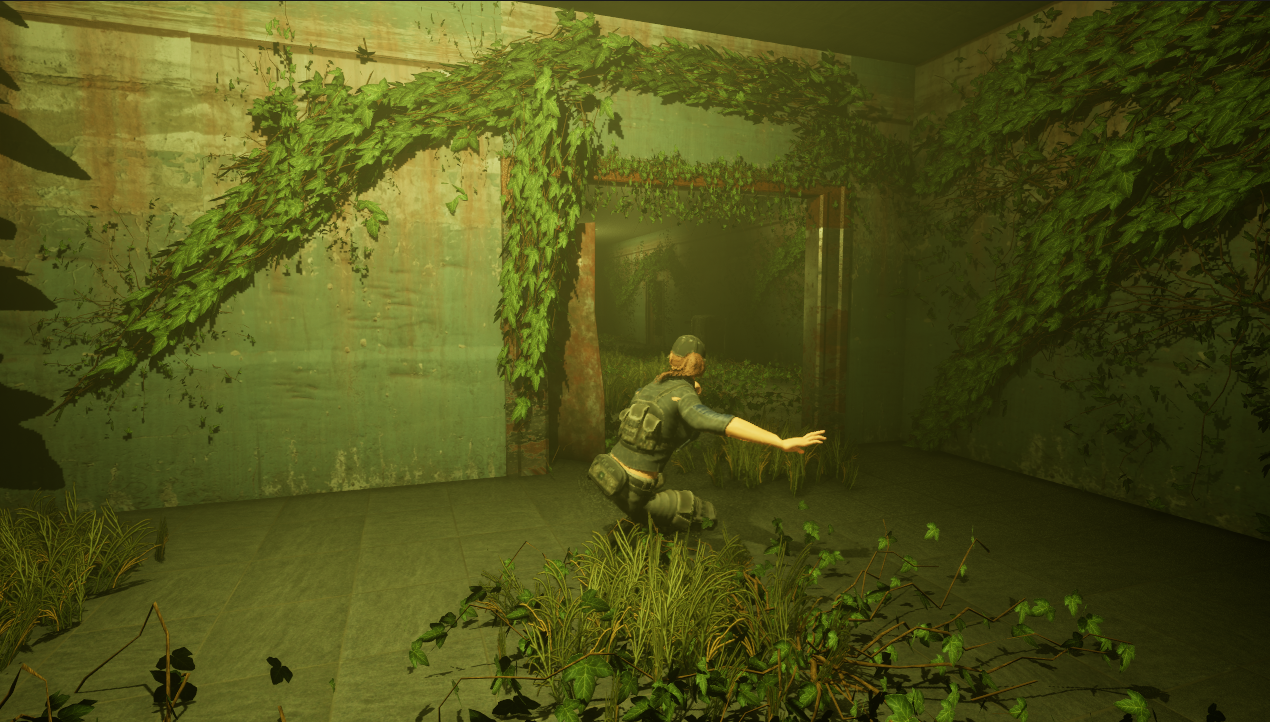
---------------------------------------------------------------------------
- UI Design
The UI in this game is designed to be both thematic and minimalist, providing the player with the necessary information without taking up too much of the screen or distracting from gameplay. The layout adapts depending on the menu in use, balancing clarity and immersion.
The main menu features the building and environment blurred in the background, keeping the focus on the menu options while maintaining a sense of place. Buttons are responsive, readable, and visually highlight when hovered over. The pause menu hides the gameplay in the background and stops the game state, allowing players to resume, return to the main menu, or quit. Each option changes font color when hovered, giving clear visual feedback.
In-level widgets provide additional interaction feedback. When the player enters the collision zone of an interactable item, contextual UI appears, displaying relevant information and guiding the player’s actions intuitively.
- UI Implementation
The UI is built using Unreal’s BP_Widget system, giving dynamic control over layout and scaling for different monitor types. This approach allows menus and in-game widgets to respond smoothly to player input and display information clearly.
There were no notable issues during implementation, and the final result is functional, clear, and responsive. The UI complements the game’s immersive and stealth-driven tone while remaining intuitive and easy to navigate.
- UI ( Main Menu )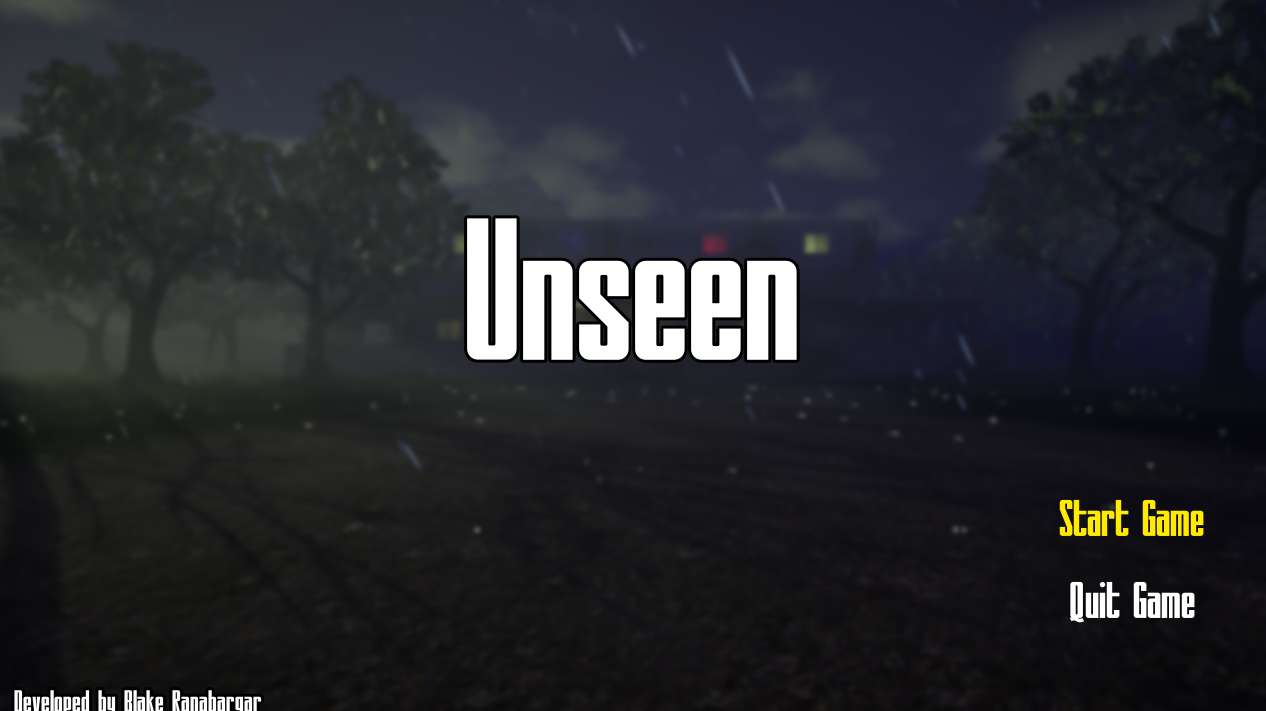
- UI ( Pause Menu )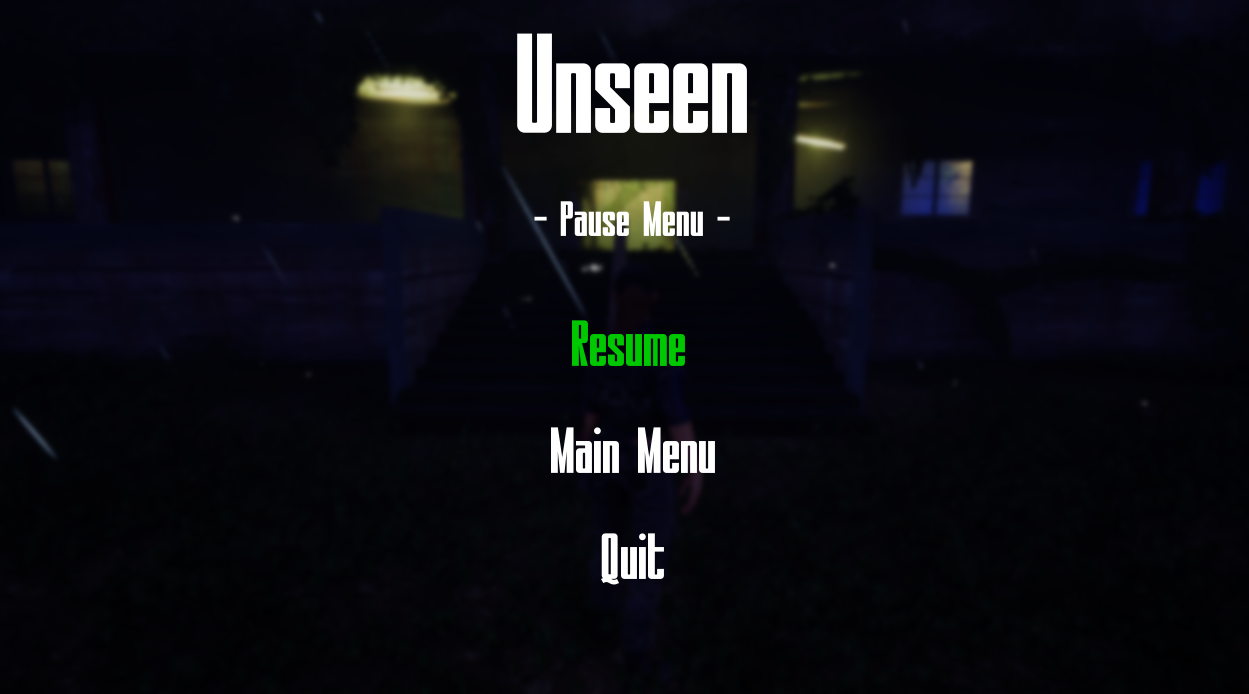
- UI ( Interact )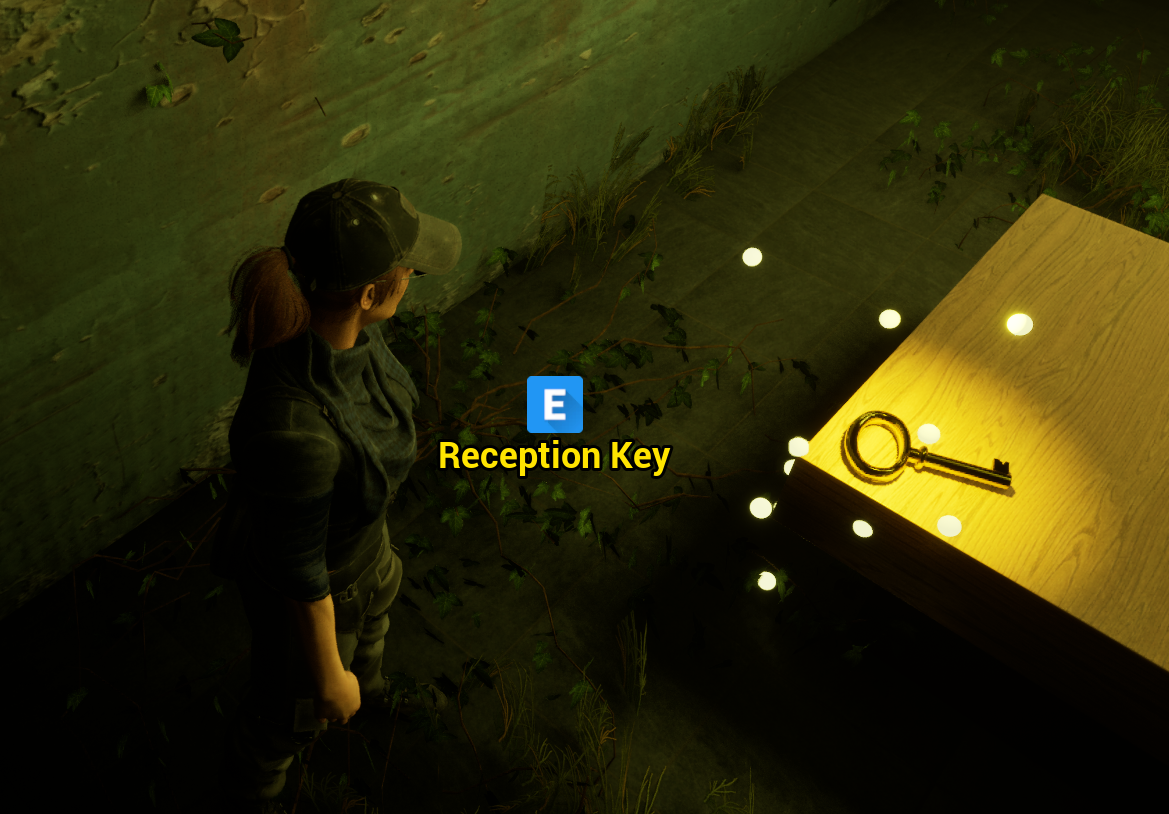
- UI ( You Survived... )
- UI ( You Died )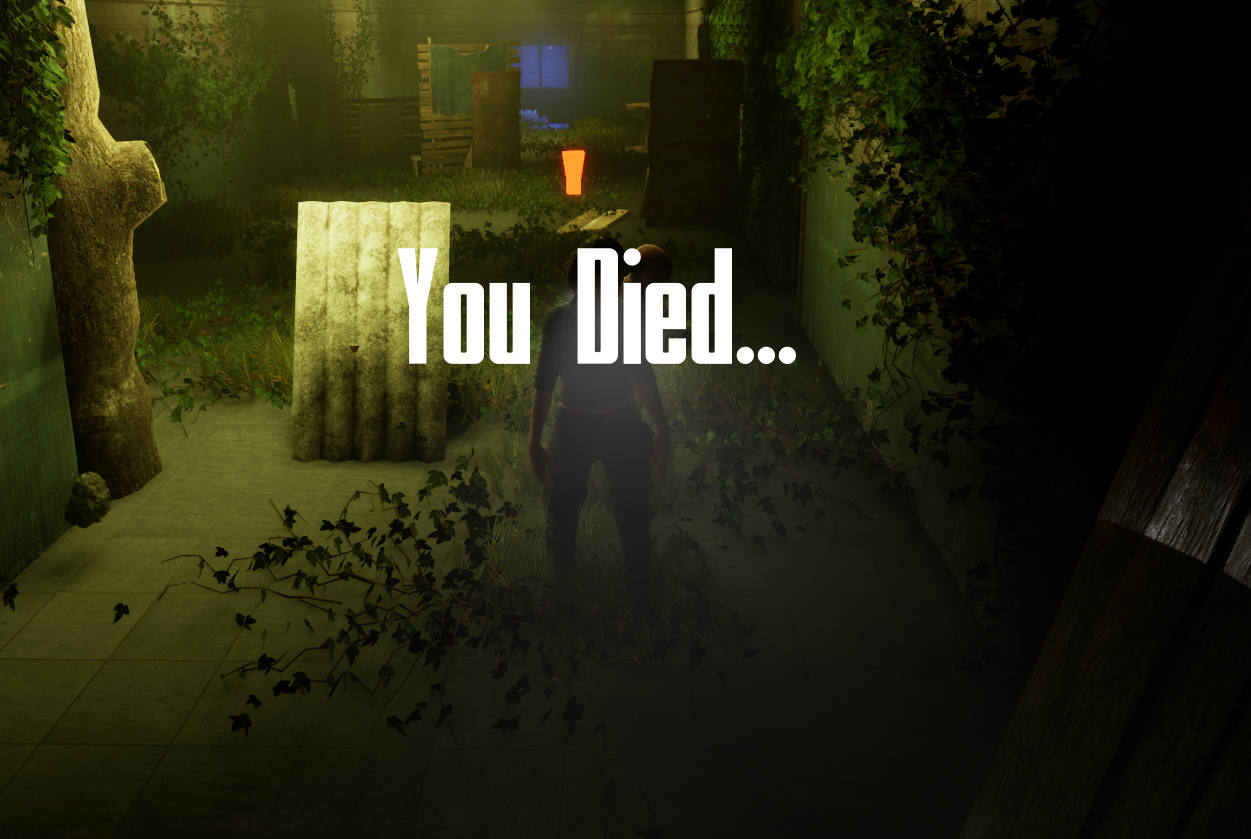
---------------------------------------------------------------------------
- Bugs & Polish
During development, I encountered a few performance issues that required careful attention. Since most of my assets were sourced from FAB, heavy use of foliage initially caused frame rates to drop to around 30 FPS. To resolve this, I enabled Nanite on my meshes and reduced the poly count on grass and vines to 10 each. These changes significantly improved performance without noticeably affecting the visual quality of the environment.
Another challenge arose while implementing the rain particle system. The goal was to create consistent, immersive rainfall without impacting performance. I solved this by attaching the particle system to the player and limiting both the particle count and area coverage. This kept the rain visually effective while maintaining smooth gameplay.
After addressing these key issues, the game runs smoothly, feels polished, and performs like a proper, finished experience.
- Niagara Rain ( Optimization Reference)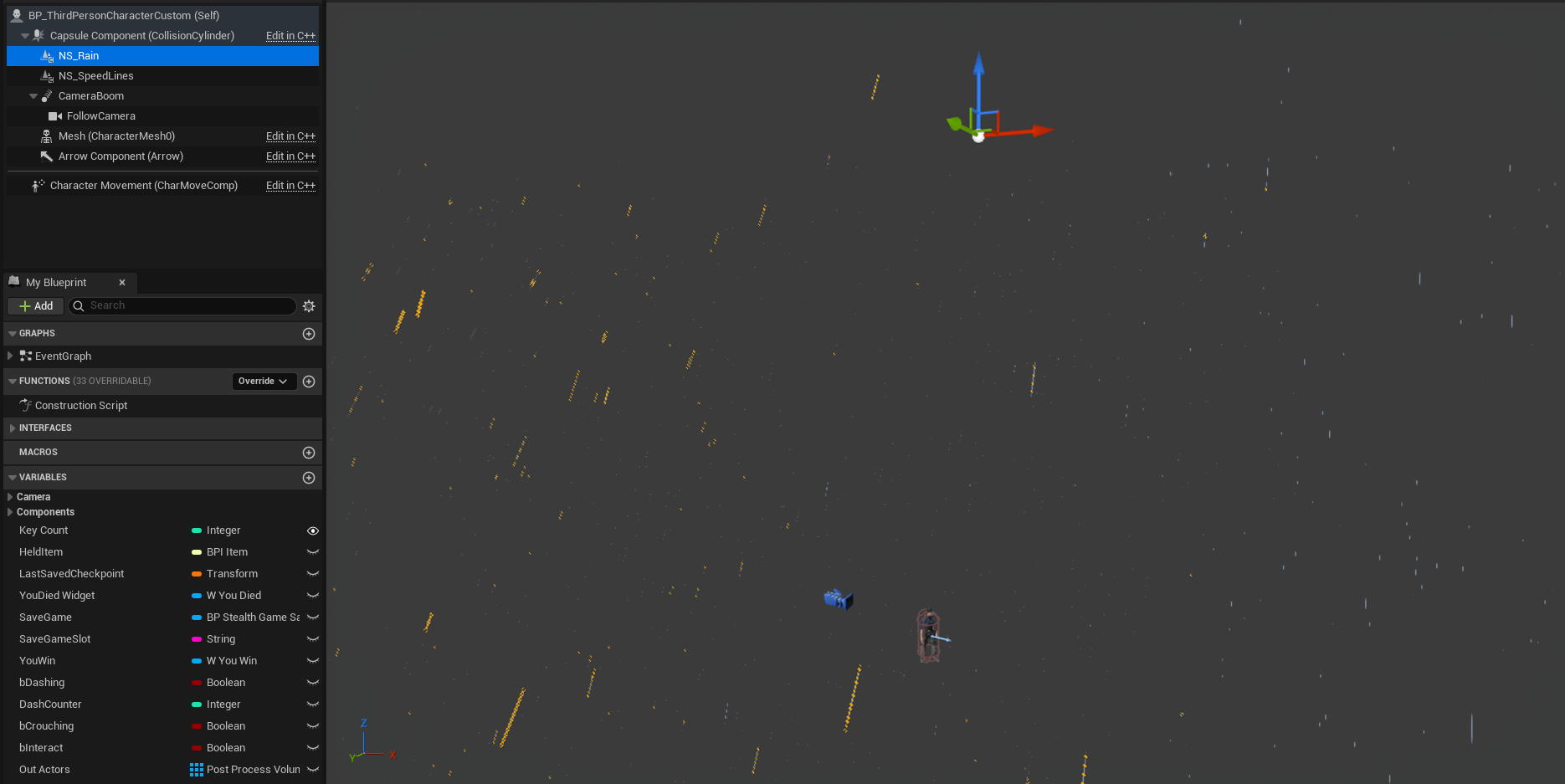
- Vines & Grass ( Optimization Reference )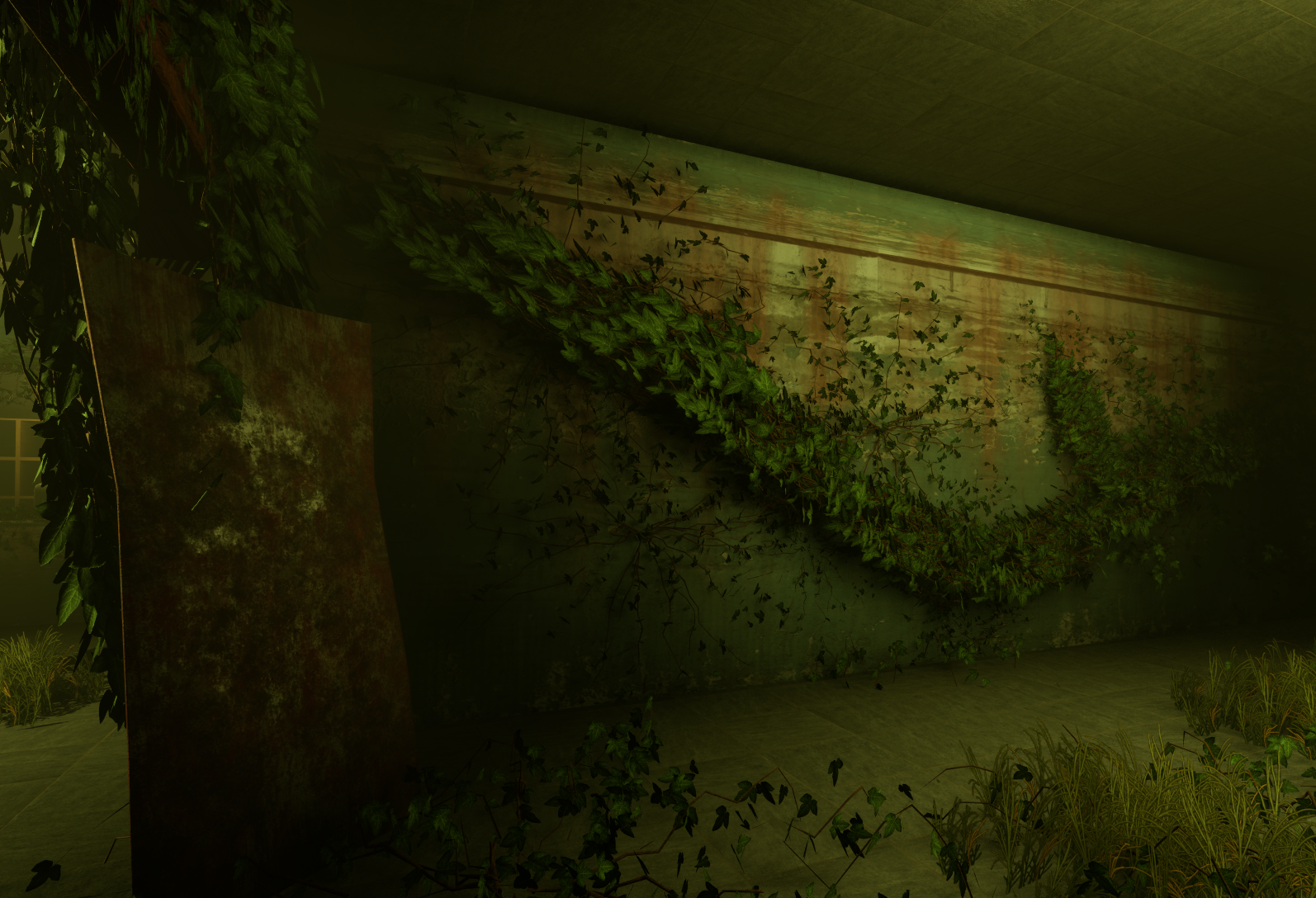
---------------------------------------------------------------------------
- Devlog Conclusion
Thank you to everyone who has followed along on this journey and supported the development of this project. Seeing it through from the initial ideas to this polished state has been incredibly rewarding, and I couldn’t be prouder of the work accomplished. I hope this devlog gives insight into the care, creativity, and effort that went into every element of the game. I’m excited to share it with players and the community alike.
See you guys in the next project!
- Blake Ranabargar
Leave a comment
Log in with itch.io to leave a comment.